
Introduction
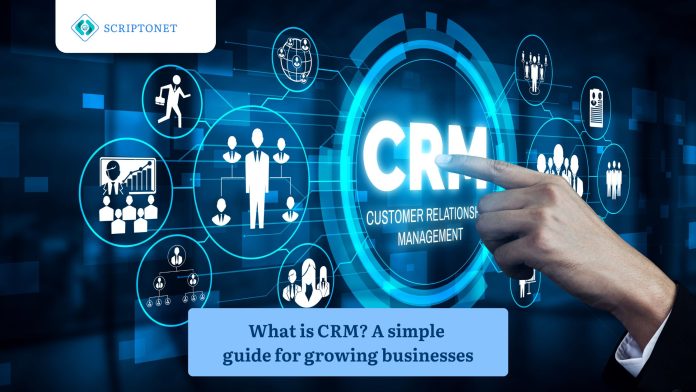
Every growing business reaches a point where sticky notes, spreadsheets & scattered emails can no longer keep up with customer demands. That tipping point usually sparks one (1) question: what is CRM?
CRM stands for Customer Relationship Management. At its core, it is a strategy supported by technology that helps businesses organise, track & nurture every interaction they have with customers & prospects. Whether you are a startup with five employees or a large corporation with five hundred, knowing what CRM is can help you better attract, service and retain the people that make your business run.
This journal breaks the concept down in plain language. You will learn what CRM software actually does, why it matters for growth & how to decide if your business is ready for one (1).
What does CRM actually mean?
Before diving into features & tools, it helps to step back & answer the foundational question: what is CRM in everyday terms?
Think of it like a digital rolodex that never forgets. A CRM system keeps track of all interactions between your company and its customers, logs conversations, keeps track of past purchases and retains contact information. But unlike a rolodex, it also connects the dots. It can tell you which leads have the best chance of becoming clients, which ones require follow-up and which prospects are stalled in your pipeline.
The term covers two (2) related ideas. First, CRM is a business philosophy centered on putting the customer at the heart of every decision. Second, it is a category of software that puts that philosophy into practice. Most people use the term to refer to the software, but the mindset behind it is just as important.
According to Salesforce’s overview of CRM, the technology gives businesses a central place to store customer data, track Interactions & manage relationships at scale.
Why growing businesses need CRM?
Relationships in small businesses are frequently managed by memory & individual effort. That approach works until it doesn’t. As your customer base grows, three (3) common problems surface.
First, information gets siloed. Sales keeps notes in one (1) spreadsheet, support uses another & marketing relies on a separate email platform. Nobody sees the full picture.
Second, follow-ups slip through the cracks. When you juggle dozens of conversations a day, it becomes easy to forget a promise you made to a prospect last tuesday.
Third, reporting becomes guesswork. Without centralized data, you cannot answer simple questions like “how many new leads did we generate this month?” or “Which salesperson made the most sales?”
A good CRM system pulls scattered information into one (1) place, automates reminders & generates reports that let you make smarter decisions.
Core features of a CRM system
Not every CRM platform offers the same toolset, but most share a handful of essential features. Understanding them helps you compare options with confidence.
Contact & lead management
This is the backbone of any CRM. Every client, potential client & vendor has a searchable profile in a single database. You anticipate revenue using actual data rather than intuition, drag deals between phases & set reminders.
Sales pipeline tracking
A visual pipeline lets you see where each deal stands from initial contact to closed sale. You anticipate revenue using actual data rather than your intuition, drag deals between phases and set reminders.
Task & activity automation
Repetitive tasks eat up valuable time. CRM automation can send a welcome email when a new lead signs up, assign a follow-up task three (3) days after a demo or alert a manager when a deal has been idle for too long.
Reporting & analytics
Dashboards turn raw data into charts & tables that answer critical business questions. You can track conversion rates, average deal size, customer lifetime value & dozens of other metrics without building a single spreadsheet formula.
Integration with other tools
Modern CRM platforms connect to email providers, calendars, accounting software & marketing Tools. That connectivity ensures data flows freely between systems rather than being trapped in separate silos.
How CRM support different teams?
One (1) common misconception is that CRM software only benefits sales teams. In reality, the value spreads across multiple departments.
Sales
Sales representatives gain a clear view of their pipeline & spend less time on administrative work. They are aware of which deals require attention now & which lead to prioritization.
Marketing
Marketers use CRM data to segment audiences, personalise campaigns & measure which channels deliver the best return. Instead of blasting the same message to everyone, they tailor content to specific groups.
Customer support
Support agents can pull up a customer’s full history in seconds. That context helps them resolve issues faster & deliver a more personal experience. When someone contacts support, the agent already knows what is CRM telling them about that customer’s journey.
Leadership
Real-time dashboards that highlight opportunities, highlight risks & display trends are available to managers & executives. Decisions become data-driven rather than opinion-driven.
Choosing the right CRM for your business
So, what is CRM going to look like in your organisation? The answer depends on your size, budget & goals. Here are some things to consider.
Ease of use
A CRM that nobody uses is a CRM that wastes money. Look for an intuitive interface, easy onboarding & accessible support resources. If your team dreads opening the software, adoption will stall.
Scalability
Pick a platform that grows with you. A system built for ten (10) users should still perform well when you reach one hundred (100). Check whether pricing tiers & feature sets align with your growth trajectory.
Customisation
Every business has unique processes. The right CRM lets you create custom fields, adjust pipeline stages & build workflows that match how your team actually works rather than forcing you into a rigid template.
Cost
CRM pricing ranges from free to several hundred dollars per user per month. Cost-effective & free plans are best suited for businesses that need basic contact management. Premium plans add automation, advanced analytics & dedicated support.
Deployment model
Cloud-based CRM systems dominate the market because they require no hardware & update automatically. On-premise options still exist for businesses with strict data residency requirements, though they demand more IT resources to maintain.
Common misconceptions about CRM
Despite its widespread adoption, several myths still surround CRM technology. Clearing them up helps set realistic expectations.
Some people believe CRM is only for large enterprises. That is not true. Many systems with user-friendly interfaces & affordable pricing are specifically designed for small & mid-sized businesses.
Others assume that buying a CRM will fix a broken sales process. Technology highlights your weaknesses & magnifies your strengths. If your processes are flawed, a CRM will highlight those flaws; it will not magically repair them.
A third myth is that CRM replaces the human element. It does not. It manages reporting, analytics & reminders so that your staff can concentrate on developing sincere connections. The tool supports people; it does not replace them.
Practical steps to get started
Start by mapping your current process. Write down how leads enter your pipeline, how sales follow up & how support handles requests. Identify the gaps.
Next, set clear goals. Do you want shorter sales cycles, better customer retention or more accurate forecasting? Knowing your priorities narrows the list of suitable platforms.
Then trial two (2) or three (3) options. Most CRM vendors offer free trials lasting fourteen (14) to thirty (30) days. Use real data during the trial so you can judge performance under genuine conditions.
Finally, invest in training. Even the most intuitive software requires onboarding. Dedicate time to walk your team through the system, answer questions & establish best practices early.
Limitations of a CRM
CRM is not an exception to the rule that no technology is flawless. It is reasonable to admit some restrictions.
Implementation takes time. Depending on the complexity of your business, educating employees, setting up workflows & migrating data might take weeks or even months.
There is also the risk of over-reliance on automation. Automated emails & workflows save time, but they can feel impersonal if not designed carefully. Balancing efficiency with authenticity is an ongoing challenge.
Data quality matters enormously. A CRM is only as useful as the information it contains. If your team enters incomplete or inaccurate records, the reports & insights it generates will be unreliable. “Garbage in, garbage out” applies directly here.
Cost can also become a concern as you scale. Add-ons, premium features & additional user licences add up. Planning your budget with a two (2) to three (3)-year horizon prevents unpleasant surprises.
Conclusion
What is CRM? At its simplest, it is a way to manage every relationship your business depends on organised, centralised & backed by data. For growing businesses, it replaces the chaos of disconnected tools with a single source of truth that sales, marketing, support & leadership can all rely on.
The technology is not a silver bullet. It requires thoughtful implementation, clean data & genuine buy-in from your team. But when those pieces come together, a CRM system gives you the visibility & structure needed to grow with confidence.
Key Takeaways
- CRM benefits sales, marketing, support & the leadership, not just one department.
- Core features include contact management, pipeline tracking, automation, reporting & integrations.
- Choose a platform based on the ease of use, scalability, customisation & cost.
- Technology amplifies good processes but does not fix broken ones.
- Data quality & the team adoption determine whether your CRM investment pays off.
Frequently Asked Questions (FAQ)
What is CRM & how does it differ from a simple contact database?
A contact database stores names, phone numbers & the email addresses. A CRM goes much further. It tracks every interaction, automates follow-ups, manages sales pipelines & also generates analytical reports. While a contact database is static, a CRM is a dynamic system designed to actively help you build & maintain relationships.
How much will CRM software cost for a small business?
Pricing varies widely. Several reputable vendors offer free tiers that support basic contact & deal management for small teams. Paid plans typically start between 10-25$ USD per user per month & increase as you unlock advanced features like automation & custom reporting. Always include the cost of training & onboarding in addition to the membership charge.
What is CRM integration & why does it matter?
Integration refers to the ability of your CRM Platform to connect with other tools your business already uses email, calendars, accounting software, marketing platforms & more. Good integration eliminates manual data entry, reduces errors & ensures every department works from the same up-to-date information. Without it, you risk creating new data silos instead of eliminating old ones.